A guide for chess coaches
How to share an opening repertoire with your students
Create a repertoire with the lines and notes you want to share. You can use it during lessons, send it as homework, and update it as questions come up.
This example uses a White repertoire against the Leningrad Dutch, with replies to 7...Qe8, 7...c6 and 7...Nc6. The five clips use the same repertoire, notes and sample game. All accounts and game data shown are synthetic local examples.
1. Import a PGN with branches
Import a PGN with variations instead of entering every line by hand.
Create a repertoire for White called “Leningrad Dutch”. Open Import, choose Upload PGN File, select the PGN below, and click Import PGN. You can also paste PGN text.
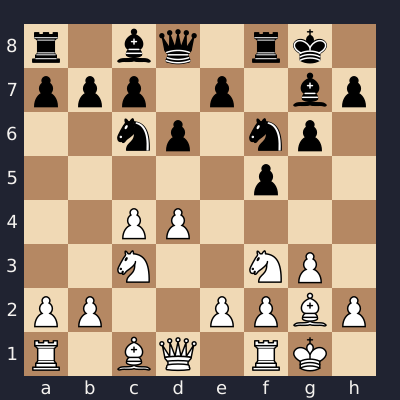
Play through to 7.Nc3, where the repertoire branches into ...Qe8, ...c6 and ...Nc6.
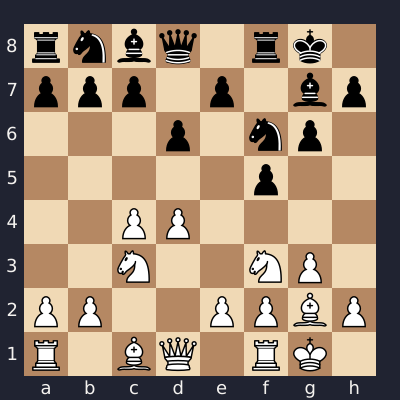
Download the annotated Leningrad Dutch repertoire (.pgn)
View the screenshot
2. Show Black’s options and White’s reply to each
Select a move for Black to see White’s prepared reply.
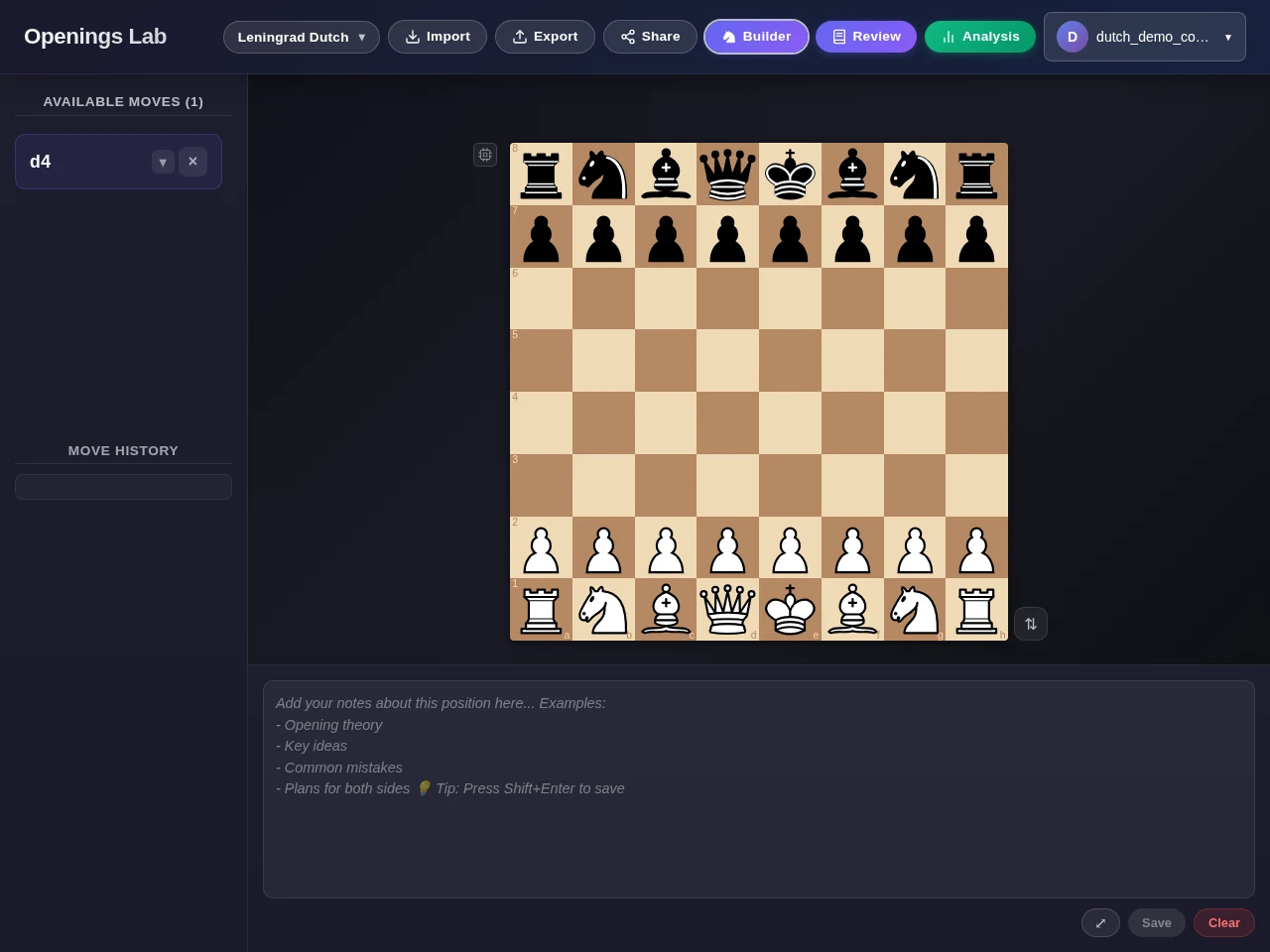
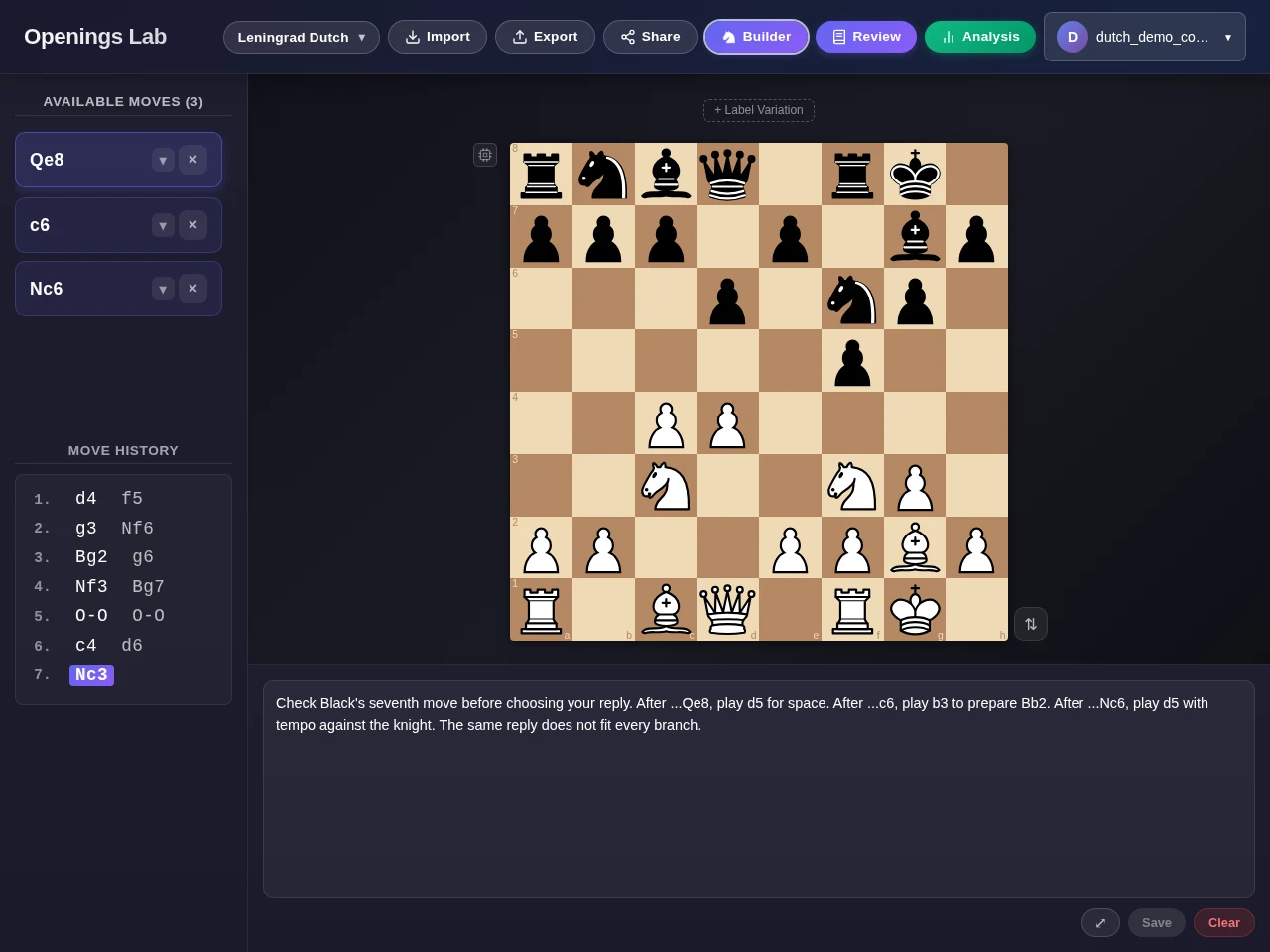
After 7.Nc3, the available moves list shows all three Black options in the repertoire. Select ...c6 to see White’s prepared reply, b3. Return to 7.Nc3 in the move history and choose ...Nc6 to see d5. The clip also follows the ...Qe8 branch.
The note at that shared position reads:
Check Black's seventh move before choosing your reply. After ...Qe8, play d5 for space. After ...c6, play b3 to prepare Bb2. After ...Nc6, play d5 with tempo against the knight. The same reply does not fit every branch.
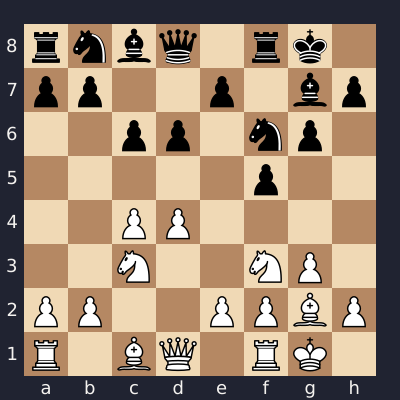
After 7...Nc6, 8.d5 attacks the knight and gains space. The example continues 8...Na5. After 7...c6, the repertoire uses 8.b3 to prepare Bb2 and keep the central tension.
These are the lines used in this example; other replies are possible. Ask the student to identify Black’s last move and explain the idea behind White’s response.
| Black chooses | Our line | Idea |
|---|---|---|
| 7...Qe8 | 8.d5 | Claim space in the centre. |
| 7...c6 | 8.b3 | Prepare Bb2 while keeping central tension. |
| 7...Nc6 | 8.d5 Na5 | Attack the knight with d5; ...Na5 is the reply shown. |
View the screenshot
3. Publish the course and share its link
Publish the repertoire as a course so students can join through a link.
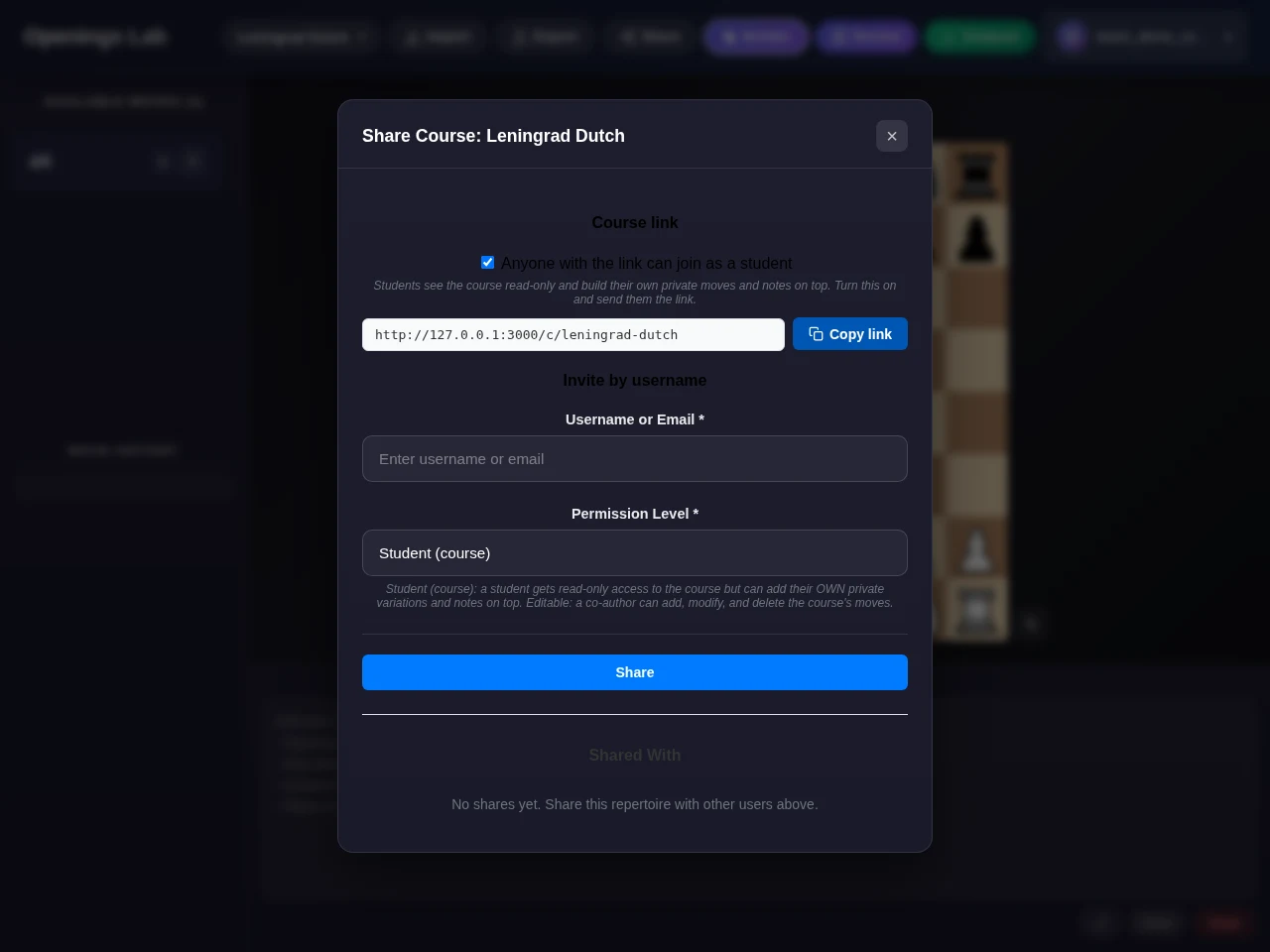
Open the repertoire’s editing controls and turn on Publish as course. In Share, enable “Anyone with the link can join as a student”, then copy the course link.
Students open the link to join and should create an account to keep their work. You can give them this task: “After 7.Nc3, try each of Black’s three moves. Explain why we prepared b3 in one line and d5 in the others.”
The link in the clip is for the local demonstration. Share the link generated for your own course.
View the screenshot
4. Show the student how to add private notes
Students can add private notes and variations without changing your base repertoire.
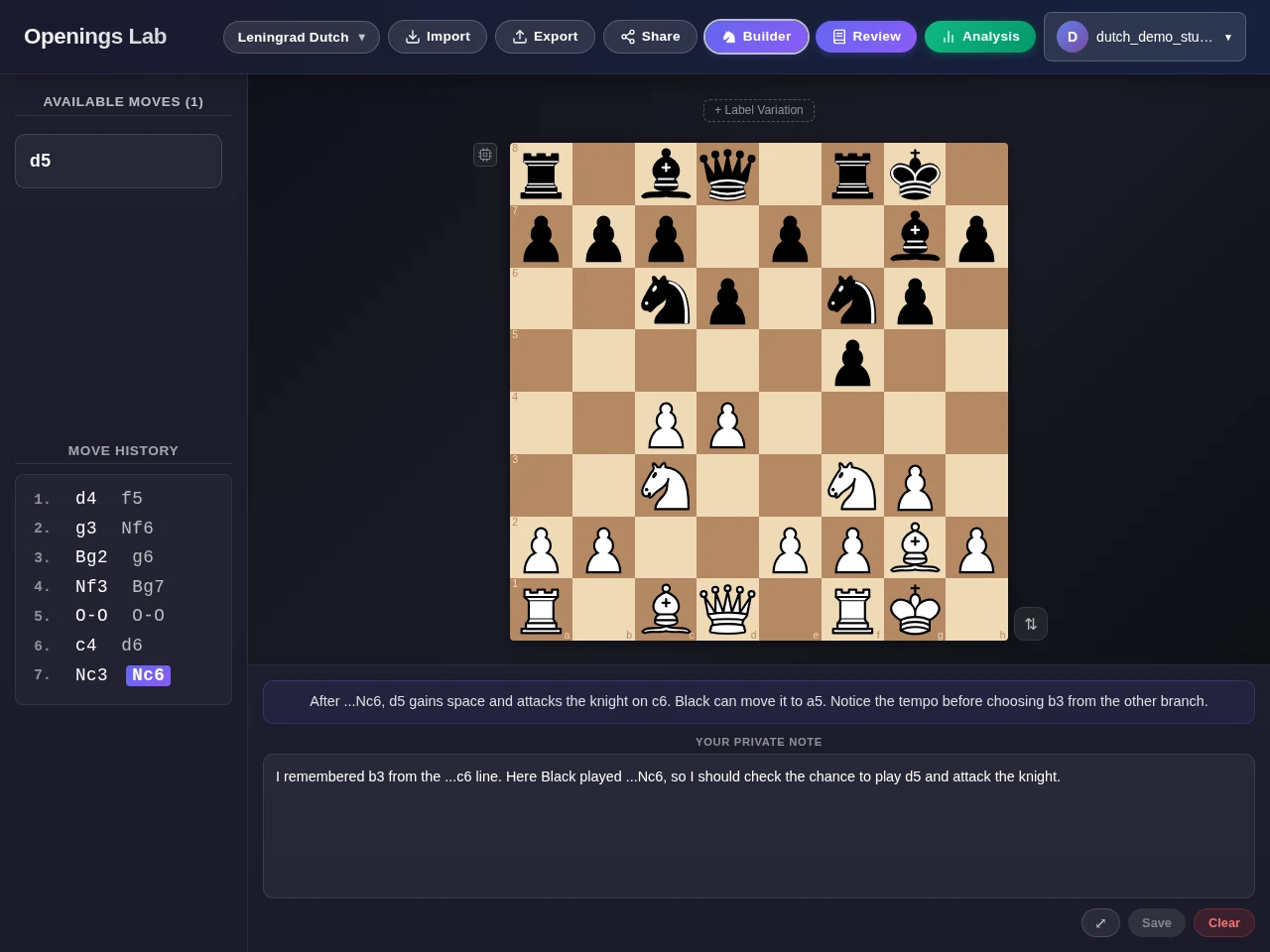
Your notes remain visible in the student’s course workspace. After choosing ...Nc6, the student adds this private reminder:
I remembered b3 from the ...c6 line. Here Black played ...Nc6, so I should check the chance to play d5 and attack the knight.
They can also add a private variation to investigate later.
Other students don’t see these additions, and you don’t automatically receive them. Ask the student to bring a question or position to your next lesson, or share it separately.
View the screenshot
5. Compare a game with the repertoire
See where a student played a different move from the one in the repertoire.
The student selects the course, opens Analysis, and enters their Chess.com or Lichess username, not their password. They run the comparison in their own workspace; reports aren’t automatically sent to you.
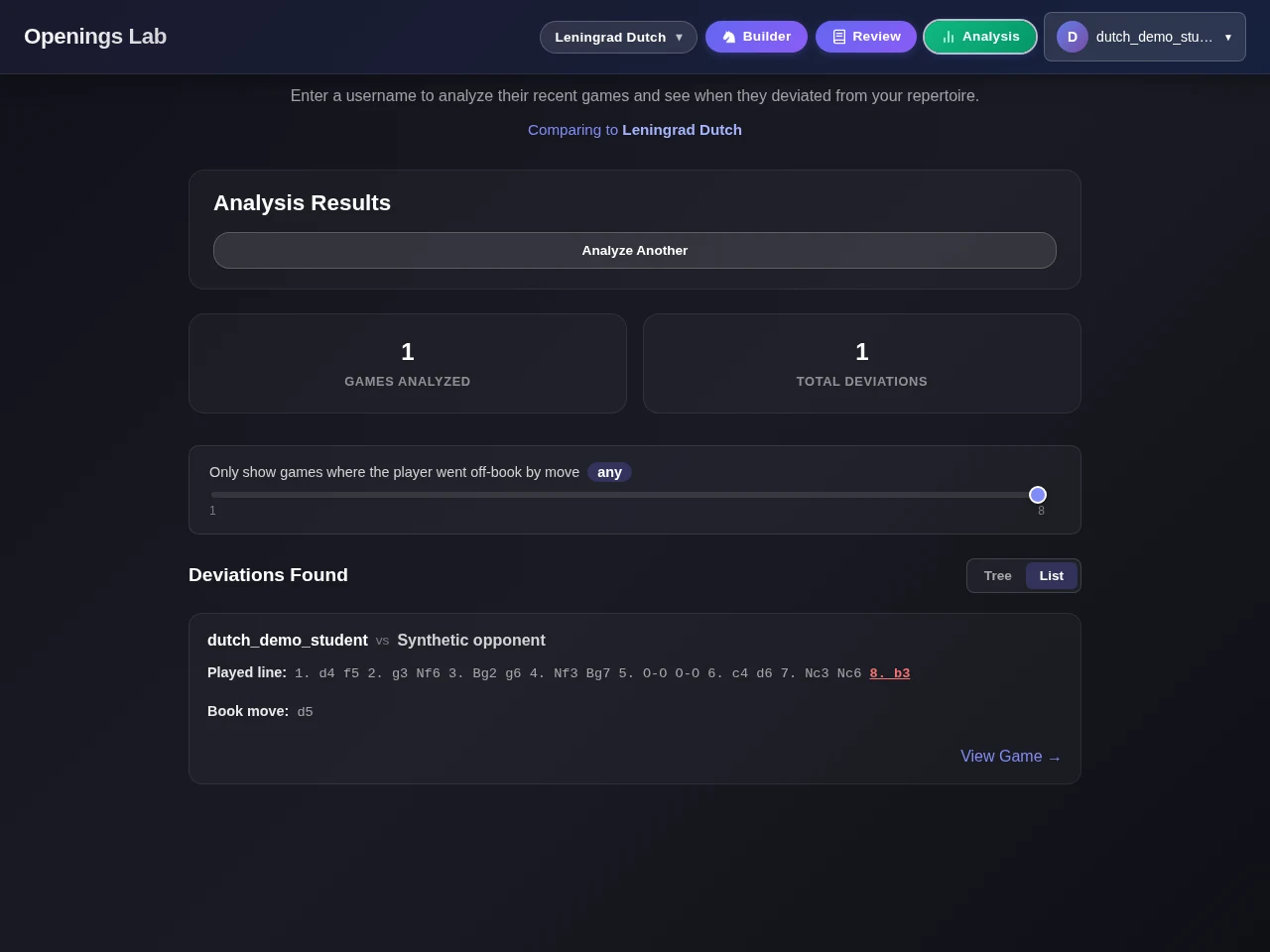
The sample game reaches 7...Nc6 8.b3. The report lists b3 as the played move and d5 as the repertoire move. The repertoire uses b3 after ...c6, but d5 after ...Nc6.
The comparison doesn’t provide an engine evaluation. A move outside the repertoire doesn’t by itself mean a blunder or a lost position. Here, ask whether the student noticed that d5 would attack the knight.
The clip uses a local sample game, not a live game fetched from Chess.com or Lichess. That game is a separate download from the repertoire PGN, so 8.b3 isn’t included as a prepared reply to ...Nc6.
Download the synthetic student game (.pgn)
View the screenshot